One sentence
Honk turns oversize permit directions into turn-by-turn GPS navigation.

Official press resources
Honk turns oversize permit directions into turn-by-turn GPS navigation.
01 / The company
Honk turns oversize permit directions into turn-by-turn GPS navigation.
Honk is a permit navigation app from Dispatch Robot, Inc. Bring in an oversize permit from a PDF, photos, a document scan, a QR code or another app. Honk reads the directions and uses tested routing rules to build the permit route. Drivers can compare each turn with the original permit, check their load and follow spoken turn-by-turn guidance. Load-aware directions help drivers reach or return to their permitted route. Honk does not issue permits.
Honk! is the brand name. Dispatch Robot, Inc. is the company behind it.
02 / Brand assets
Original artwork in SVG and transparent PNG. Credit: Courtesy of Honk!
03 / The product
Captures from the current app, using an example permit. Navigation images use simulated GPS.
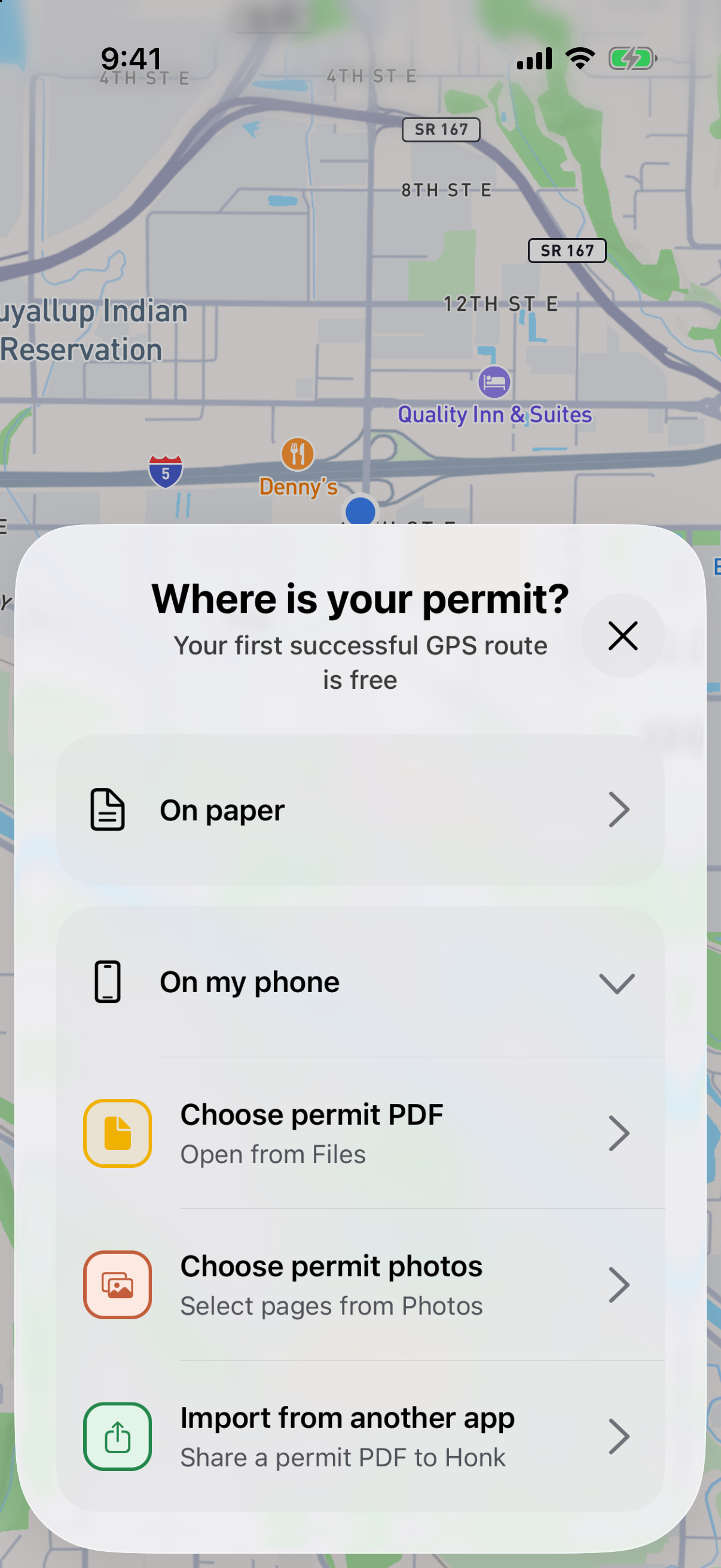
Choose a PDF, photos or another import method in the current Honk permit chooser.
Credit: Courtesy of Honk!
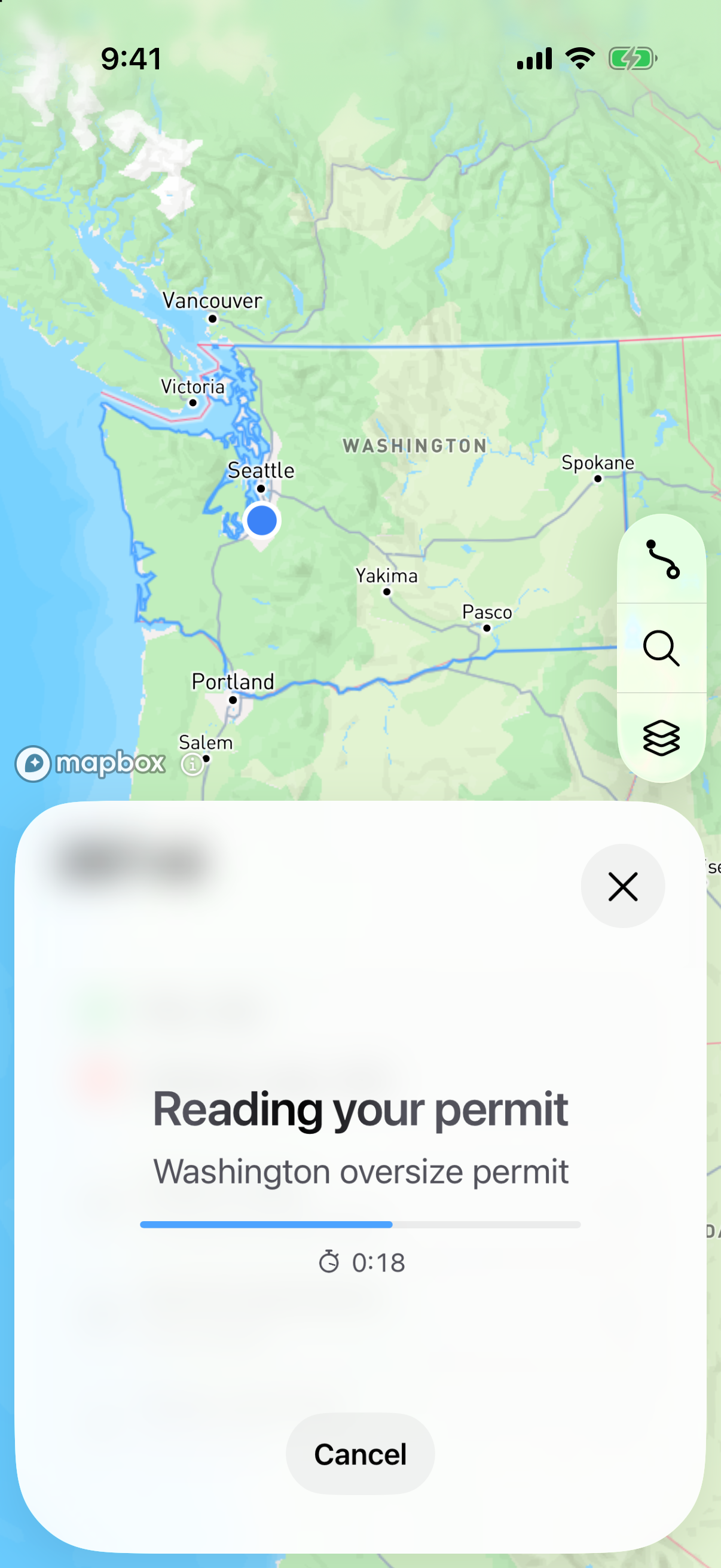
Honk reads the directions from the example Washington permit before building its GPS route.
Credit: Courtesy of Honk!
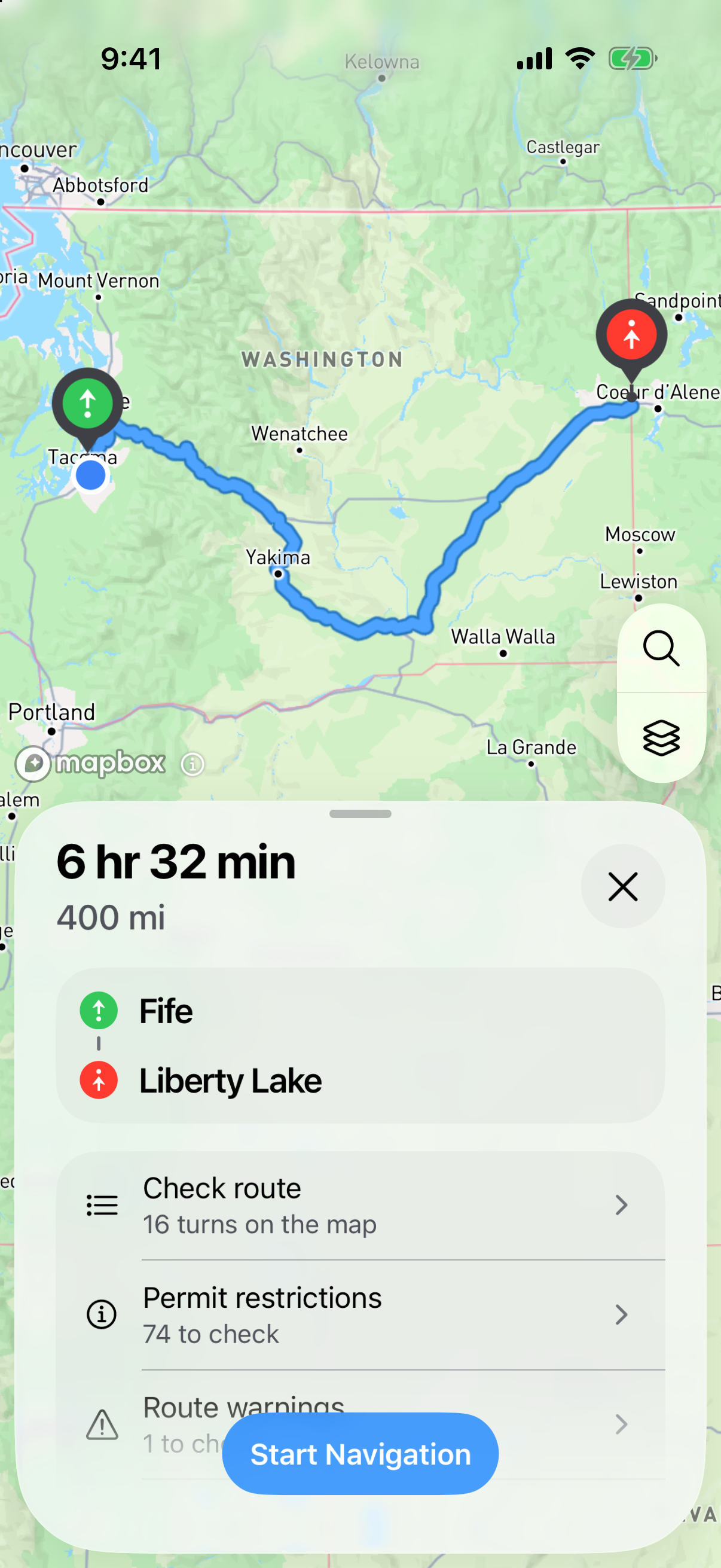
The freshly processed route from Fife to Liberty Lake, with its route-check and navigation controls.
Credit: Courtesy of Honk!
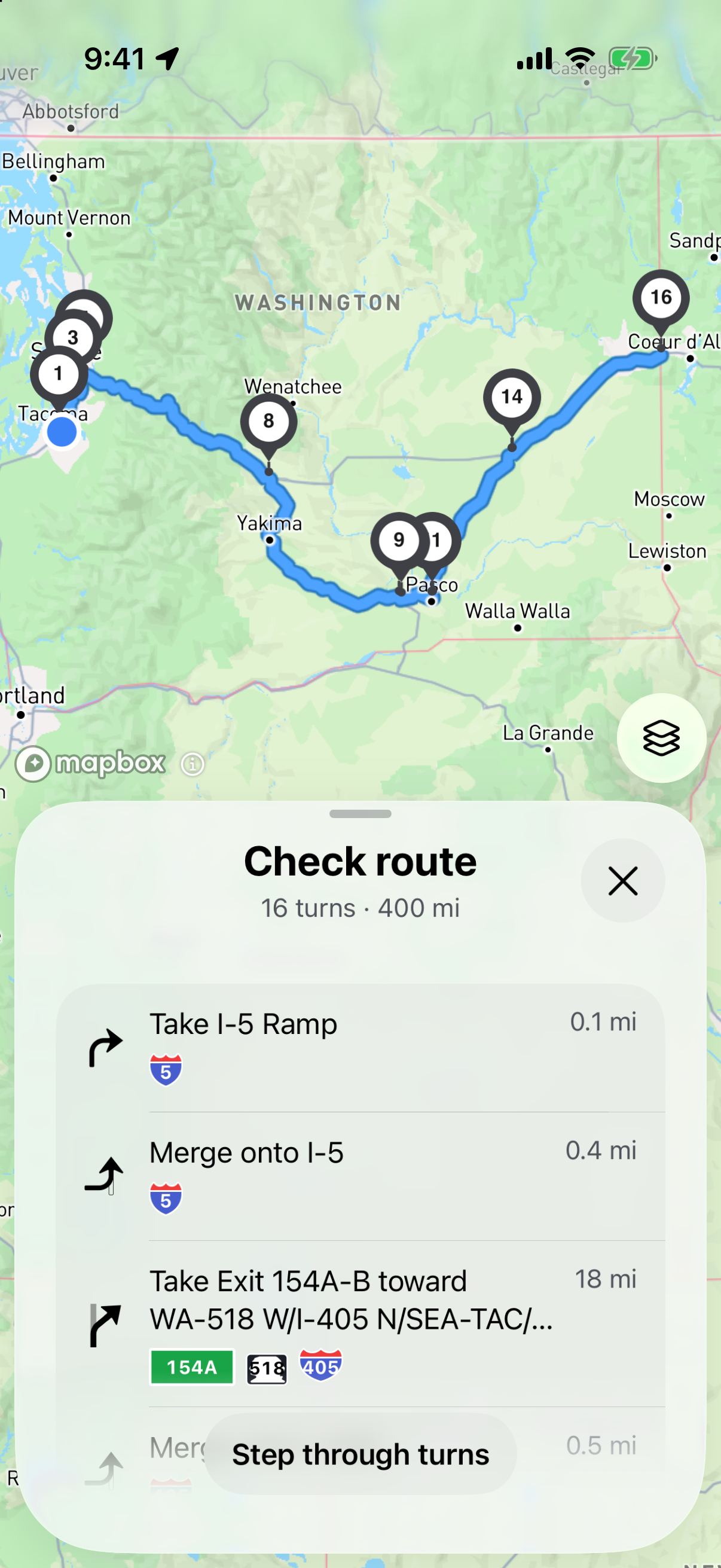
The 16 turns from the example permit, ready to review on the map.
Credit: Courtesy of Honk!
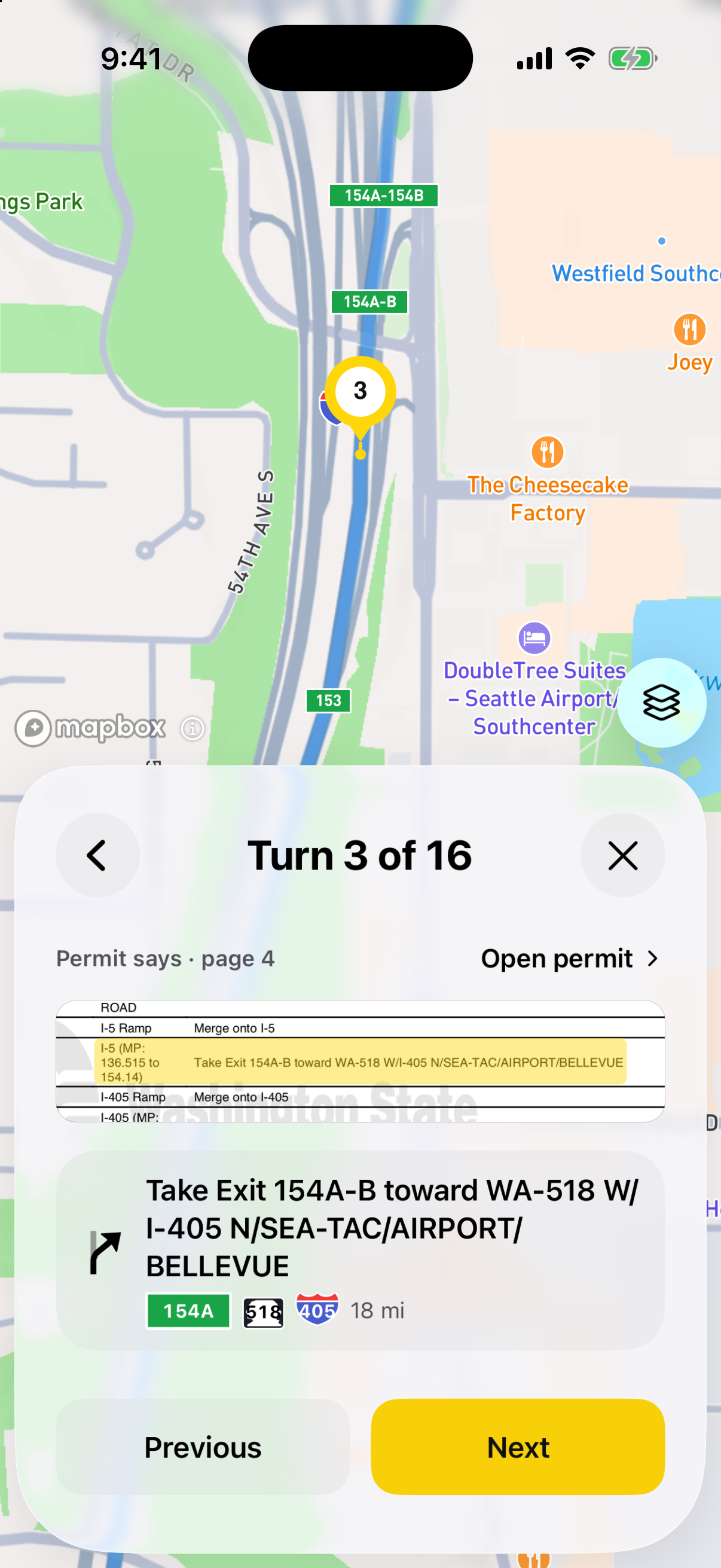
A highway turn beside its highlighted instruction on the original permit.
Credit: Courtesy of Honk!
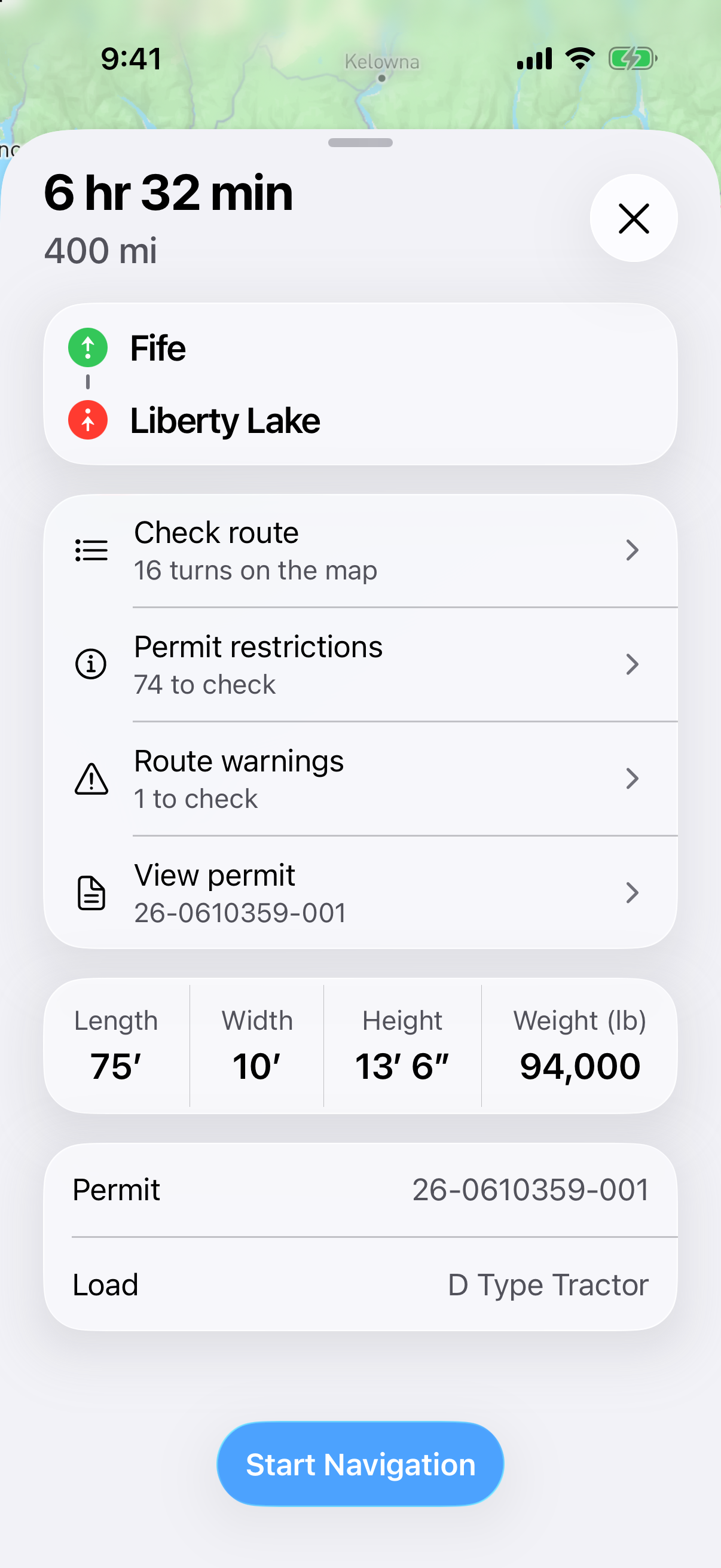
The permit number, load description, dimensions and weight from the example permit, shown together in one view.
Credit: Courtesy of Honk!
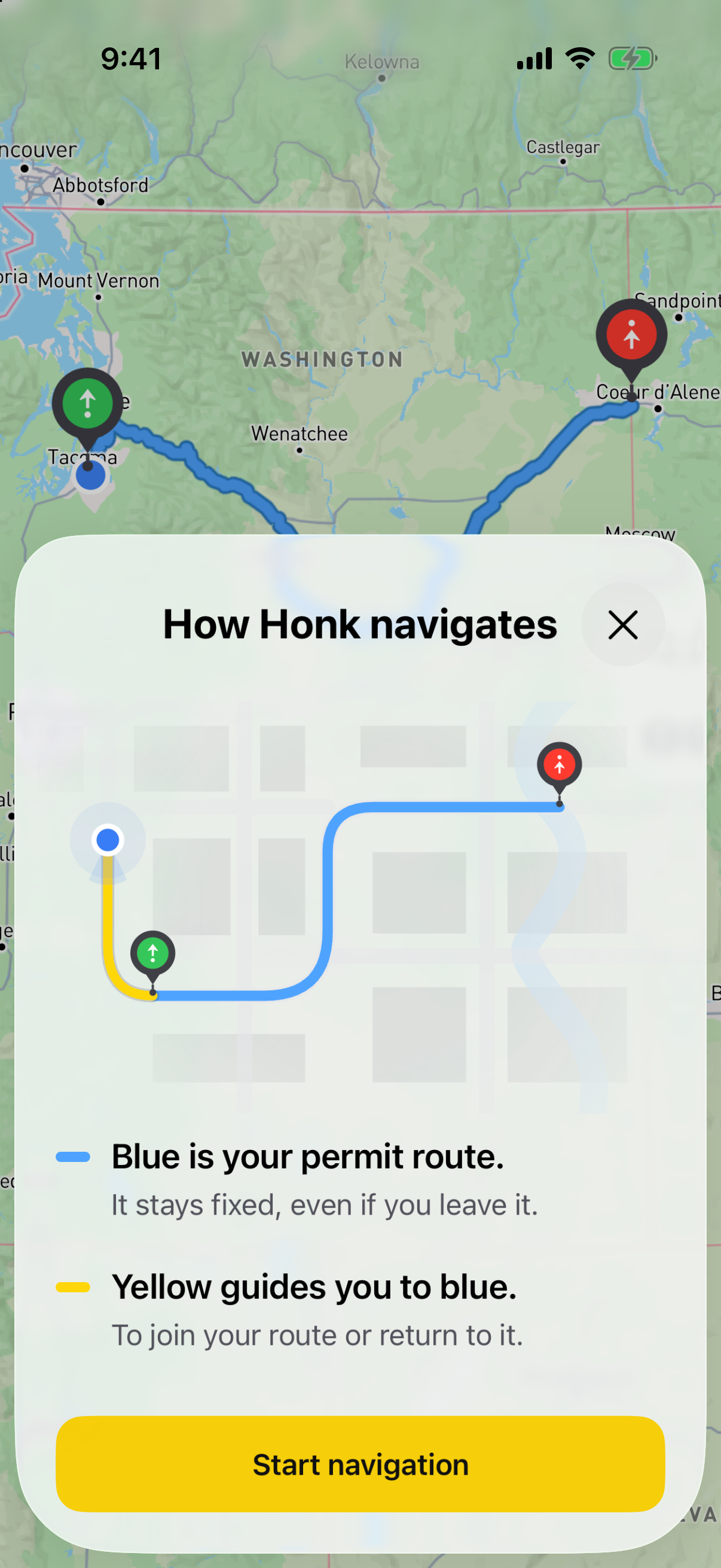
Honk’s first-trip explanation: blue follows your permit; yellow helps you reach or return to it.
Credit: Courtesy of Honk!
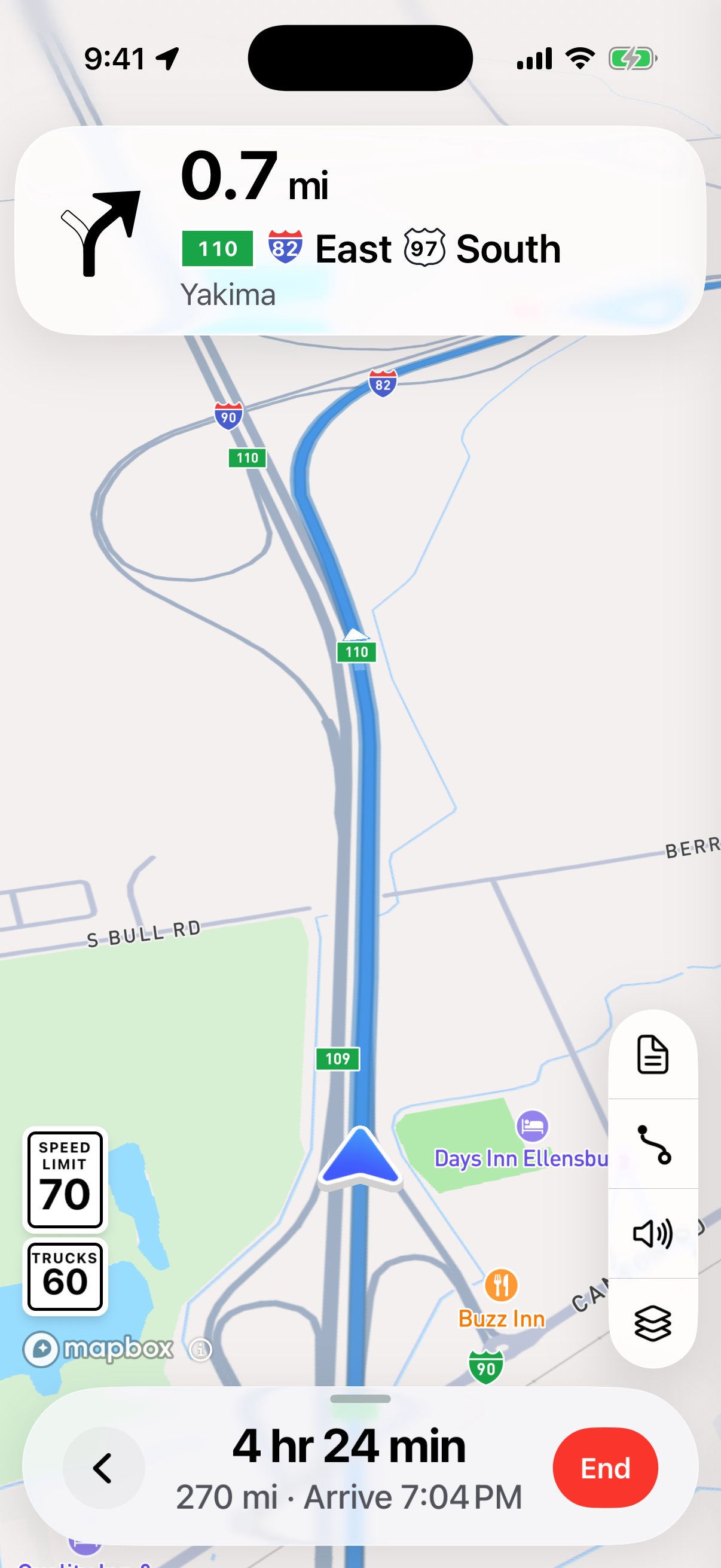
The current Honk navigation UI, following the blue permit route with simulated GPS.
Credit: Courtesy of Honk!
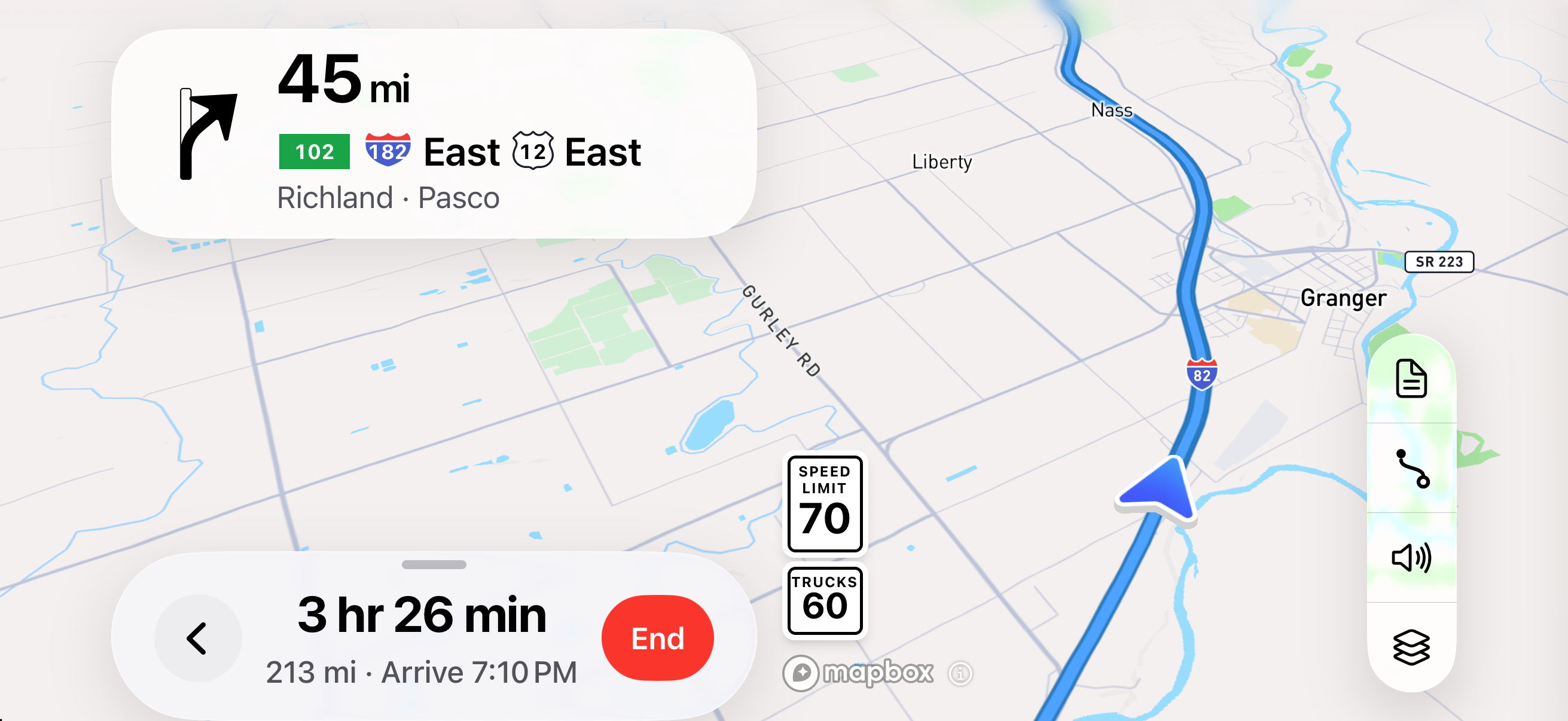
The current landscape navigation layout during simulated travel on the example permit route.
Credit: Courtesy of Honk!
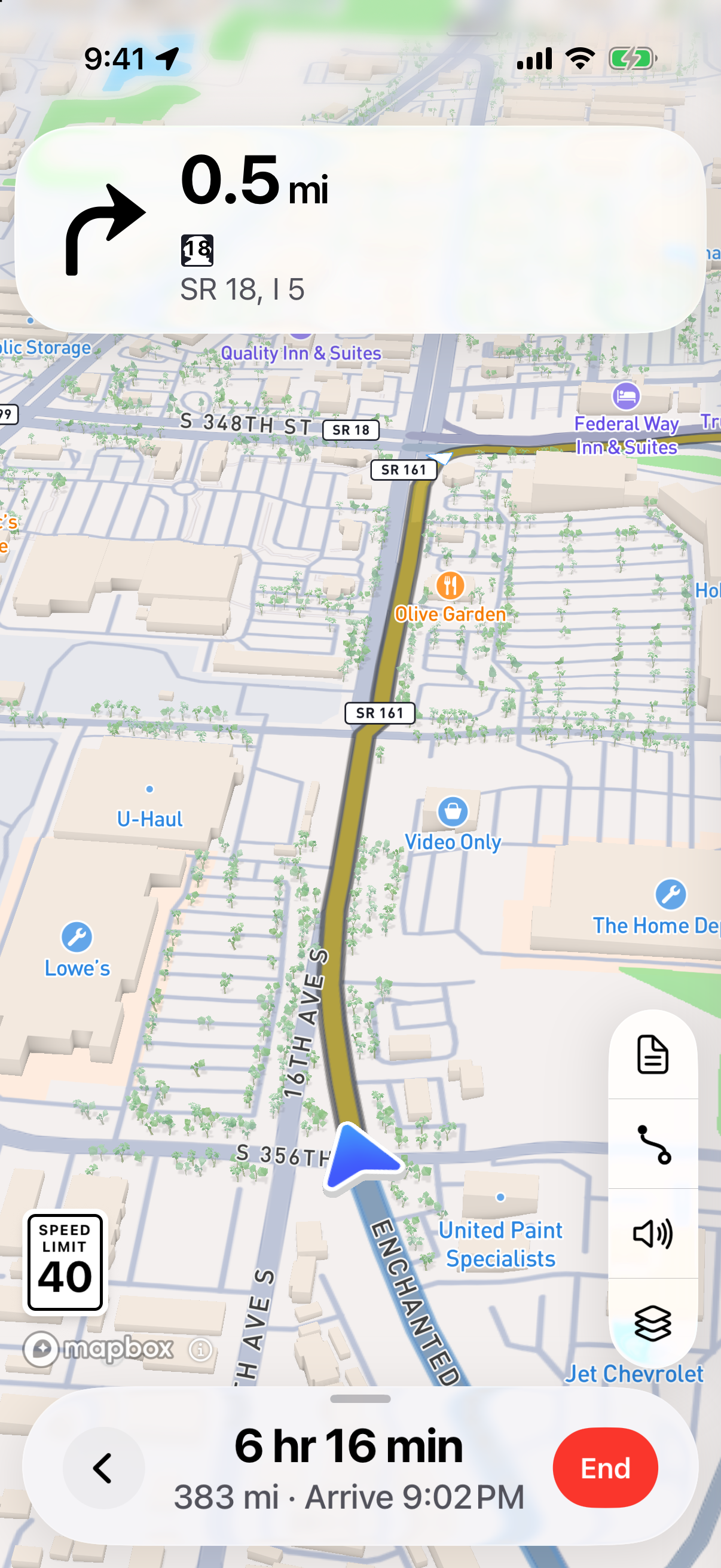
Yellow return directions generated after a simulated departure from the blue permit route.
Credit: Courtesy of Honk!
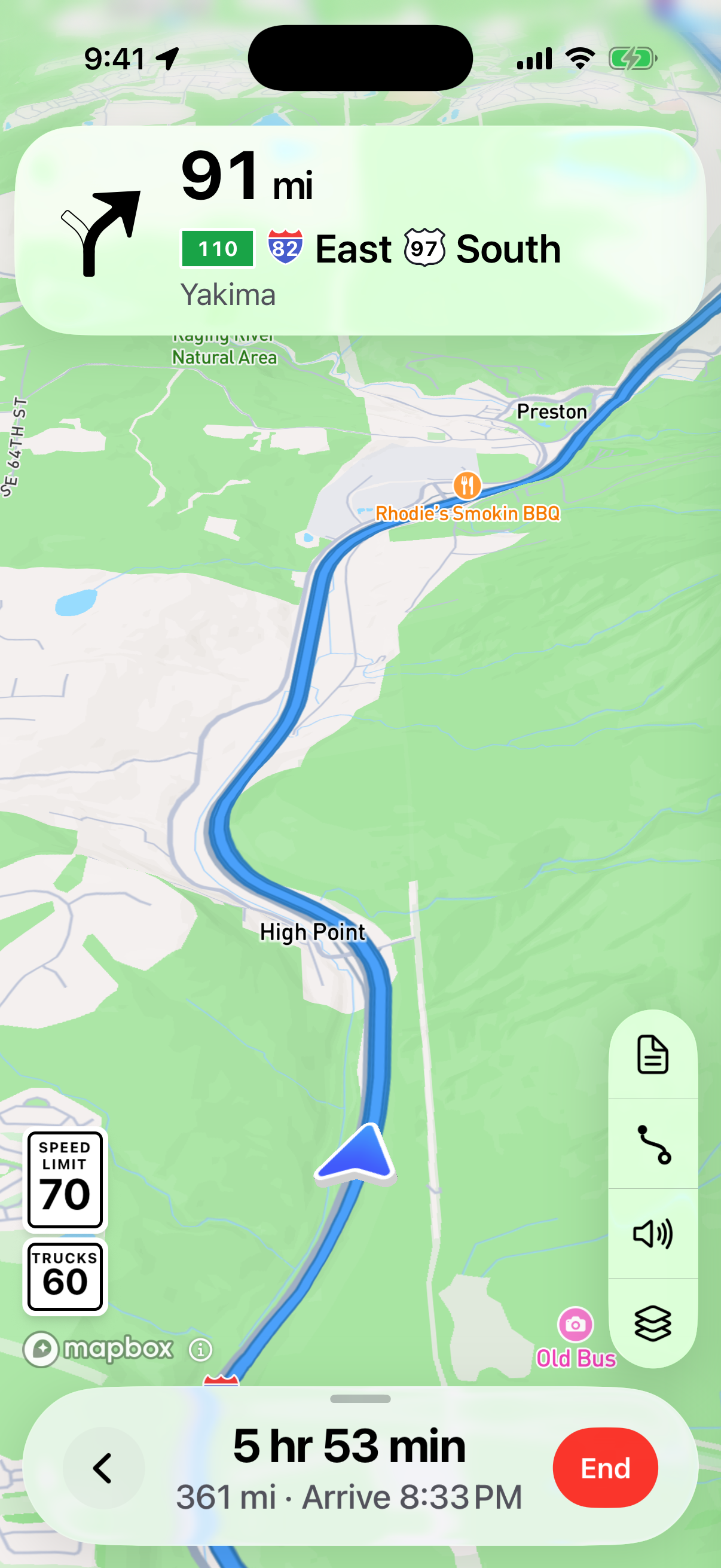
The posted speed limit beside the current native navigation UI during simulated travel.
Credit: Courtesy of Honk!
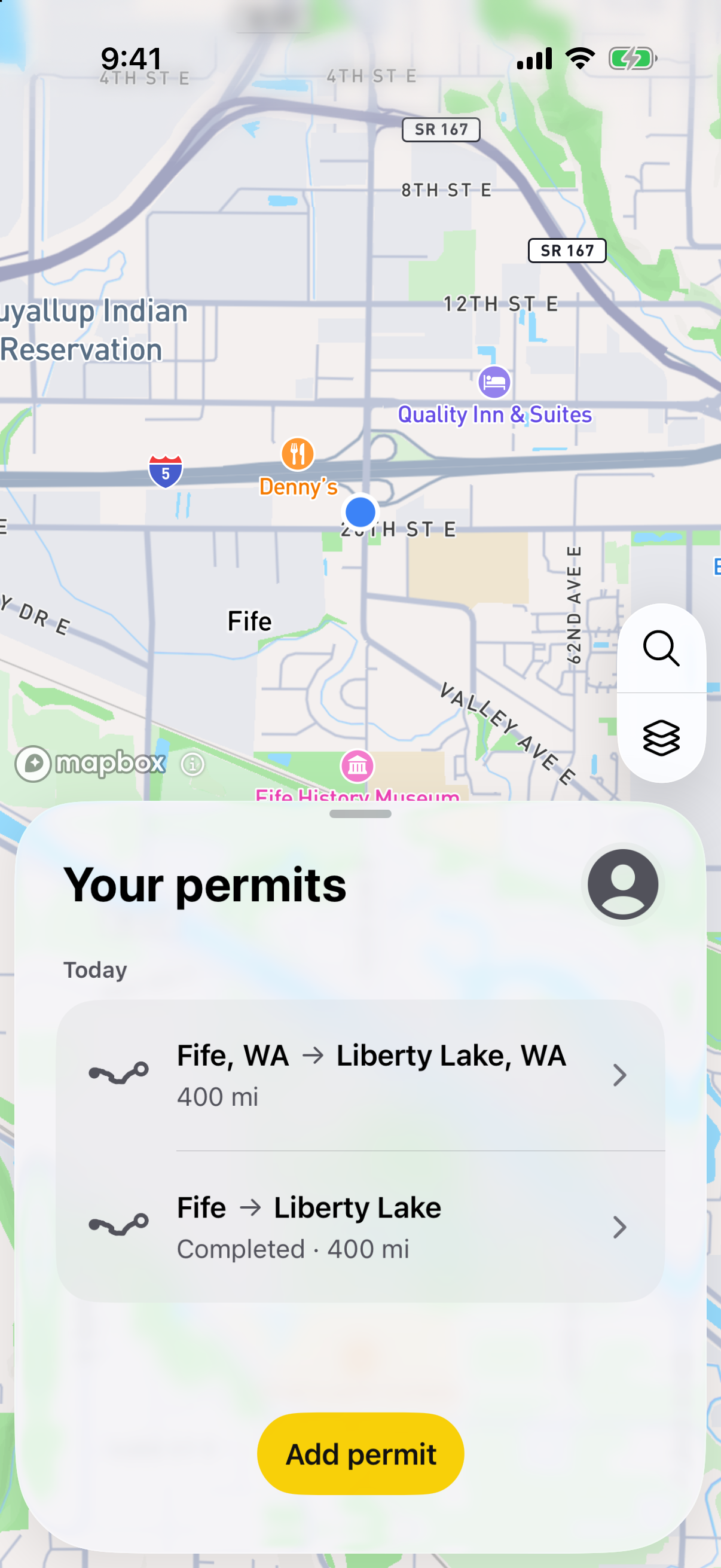
The example Washington permit, saved in Your permits.
Credit: Courtesy of Honk!
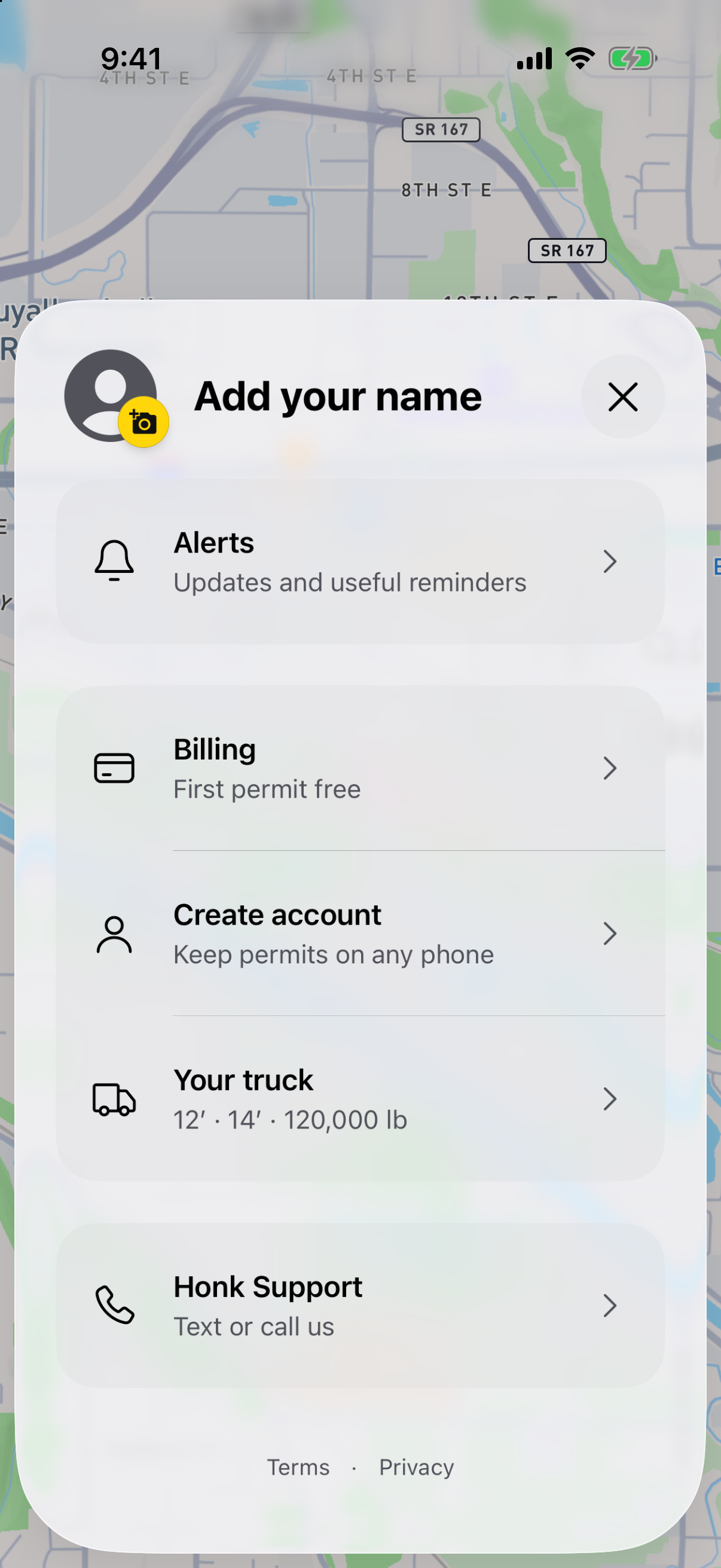
Open Billing from your account to buy more permit scans or restore an Unlimited purchase.
Credit: Courtesy of Honk!
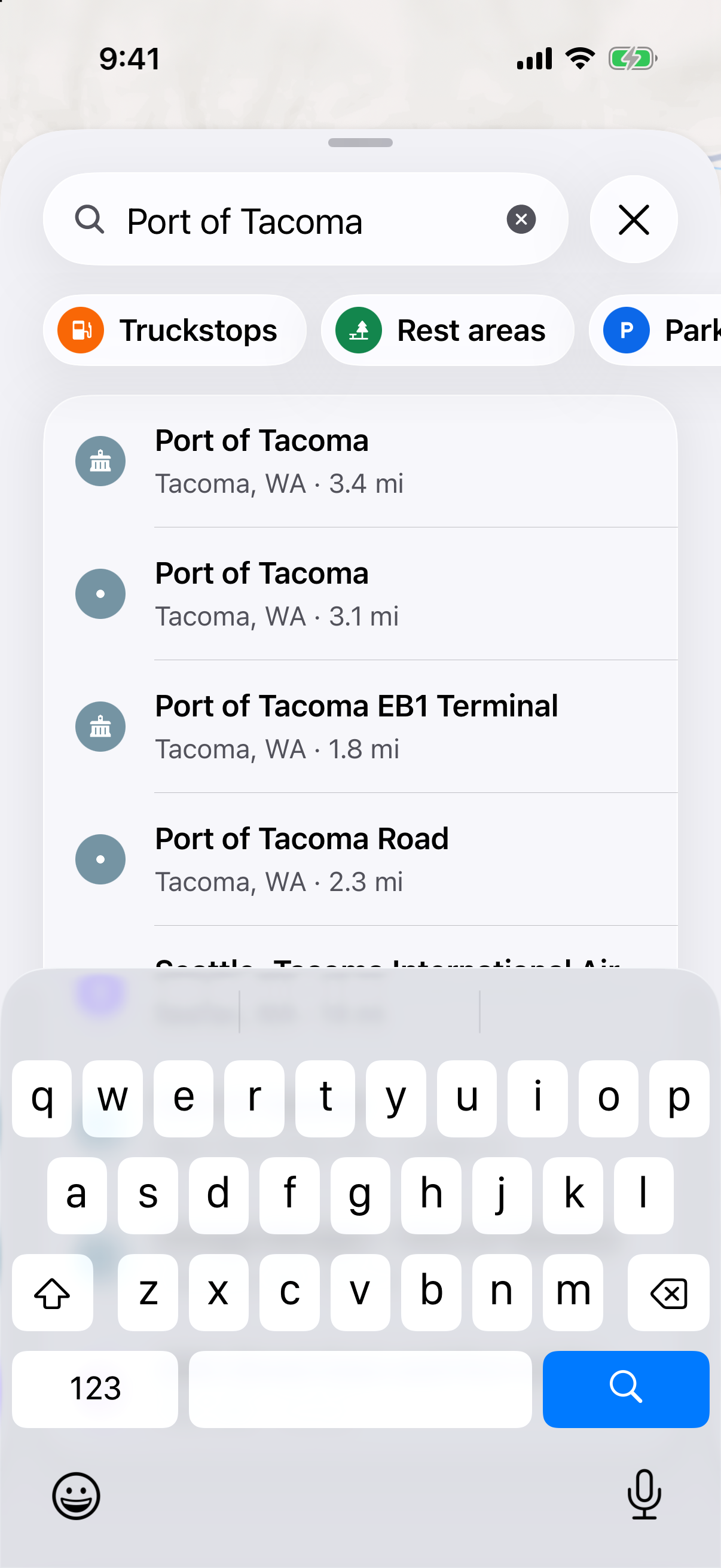
Type a place name and Honk lists matches with how far away they are.
Credit: Courtesy of Honk!
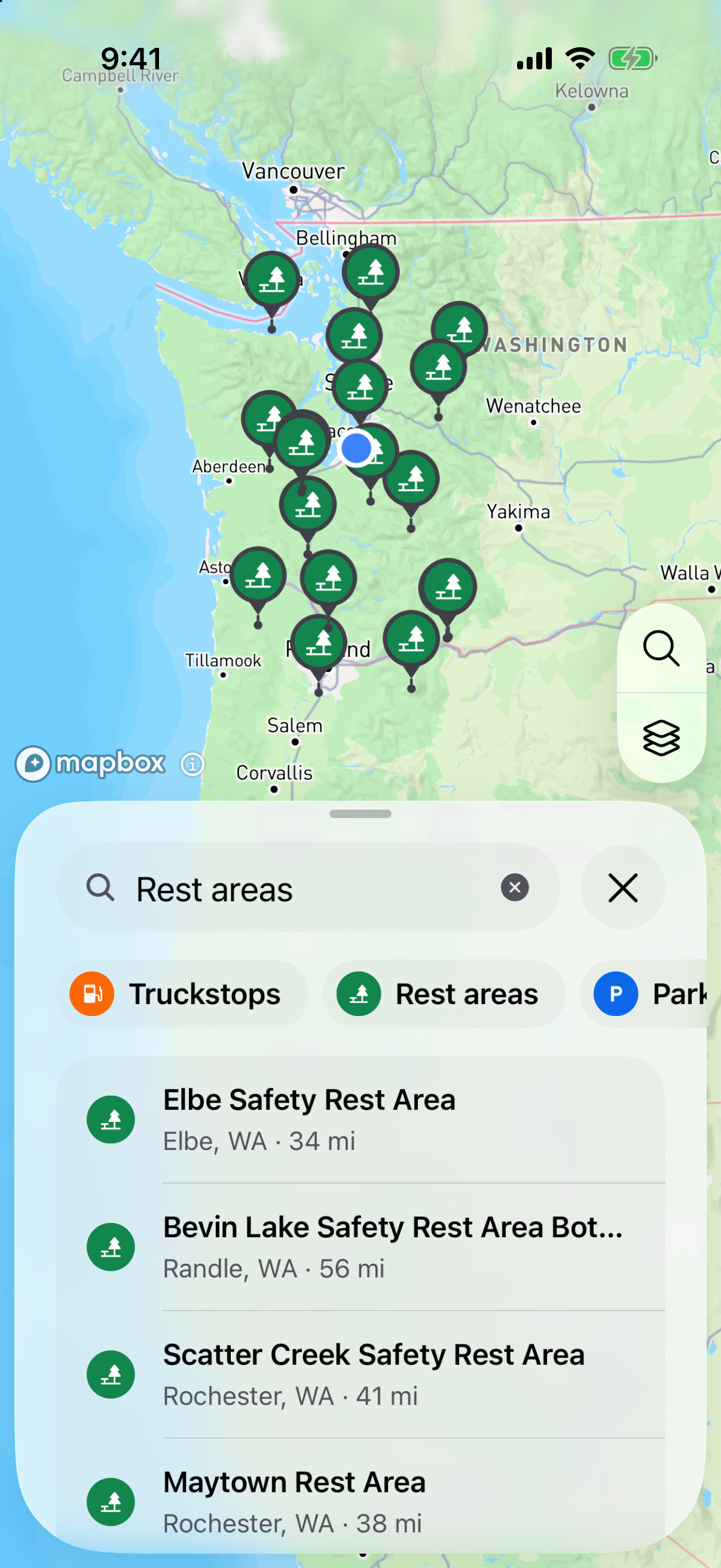
Tap Rest areas, Truckstops, Parking or Truck wash to see them on the map and in a list.
Credit: Courtesy of Honk!
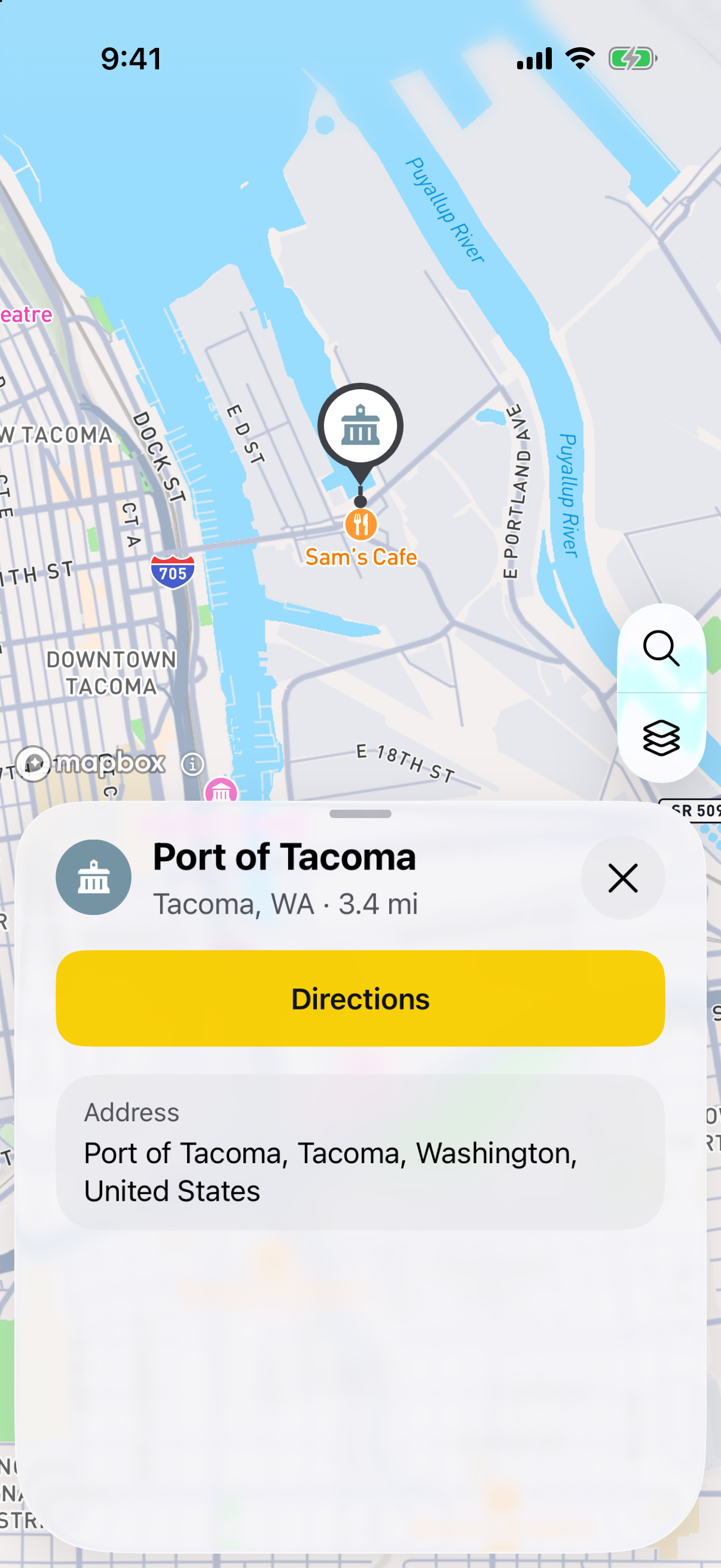
Tap a place to see its details and get directions.
Credit: Courtesy of Honk!
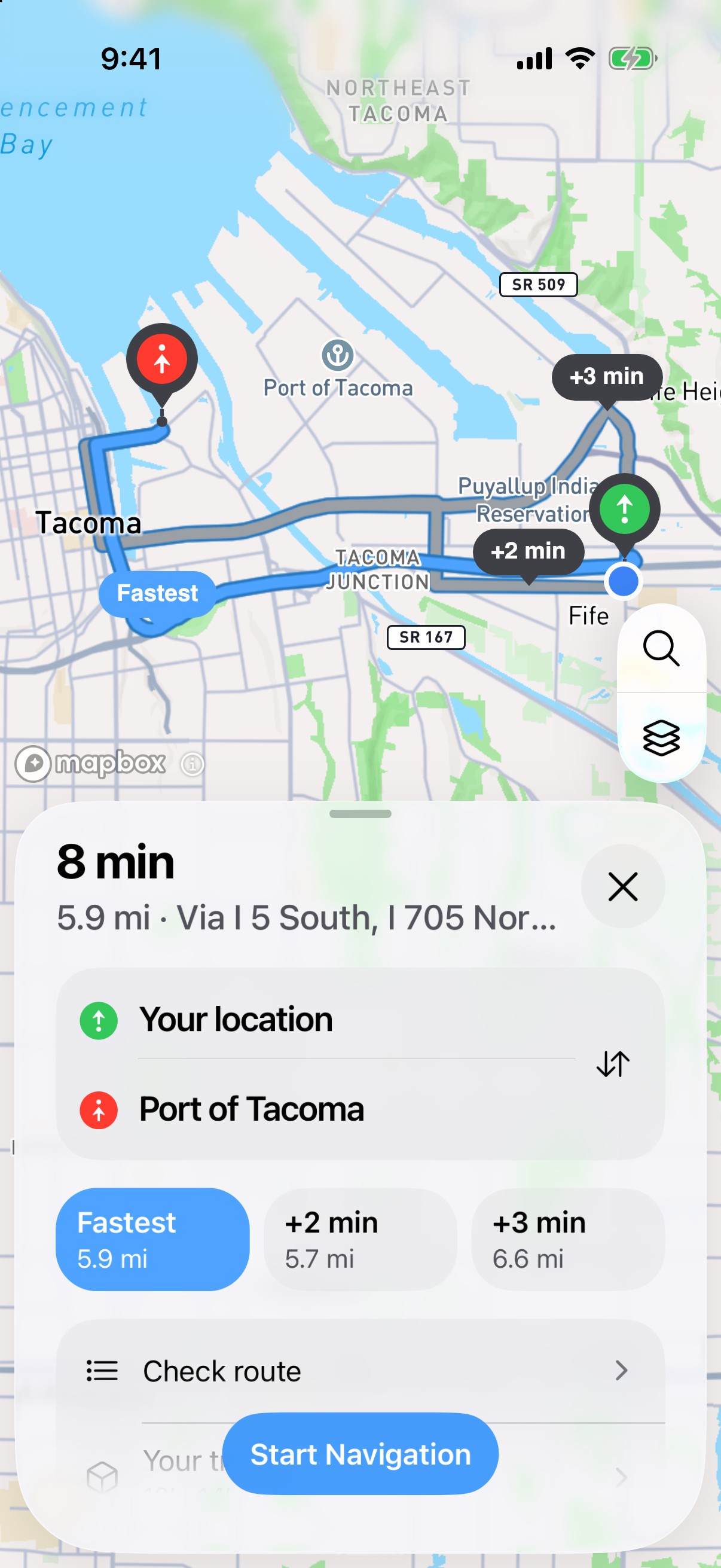
Up to three ways to a place, drawn on the map with the extra time each one takes.
Credit: Courtesy of Honk!
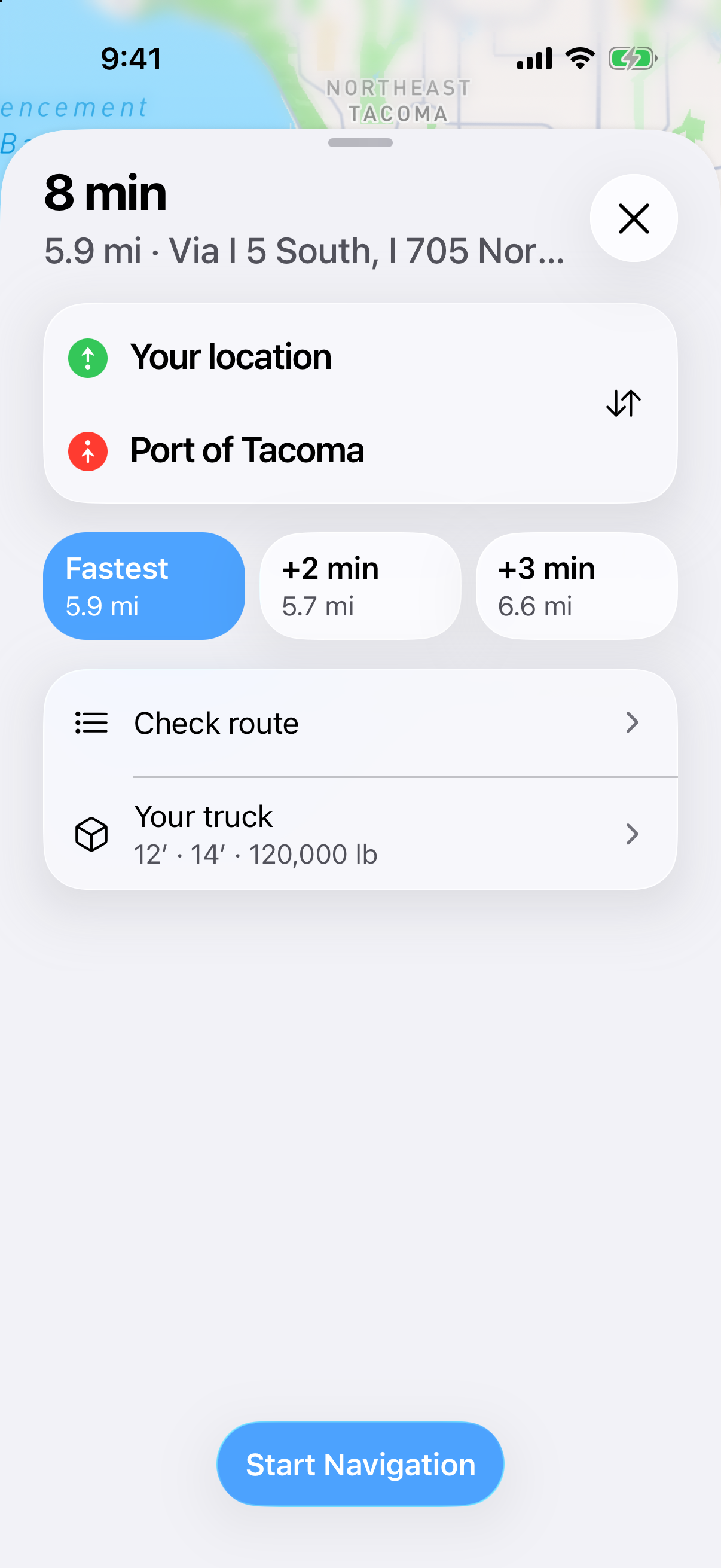
Time, miles and the main roads, with your start and end and your truck's size.
Credit: Courtesy of Honk!
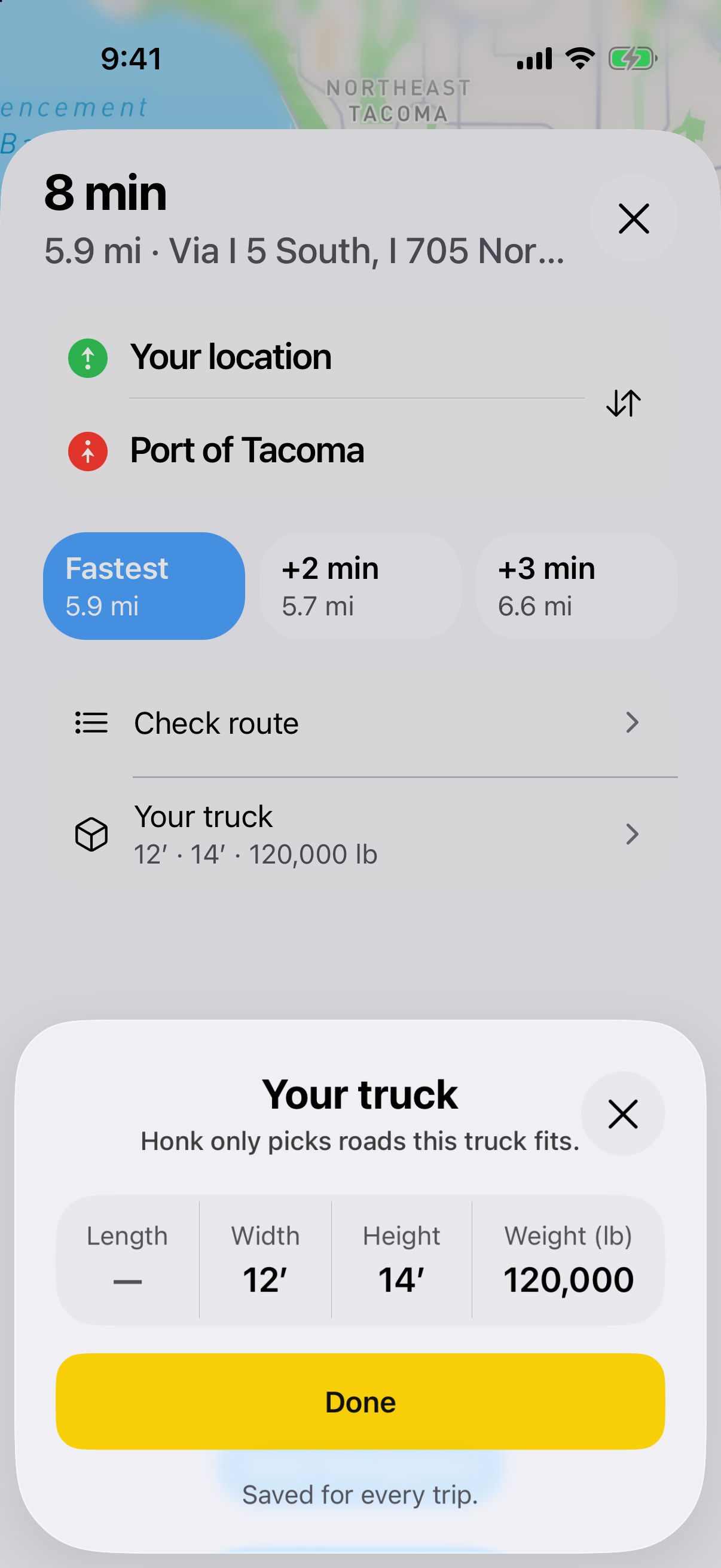
Set your truck's size once and Honk uses it for every trip.
Credit: Courtesy of Honk!
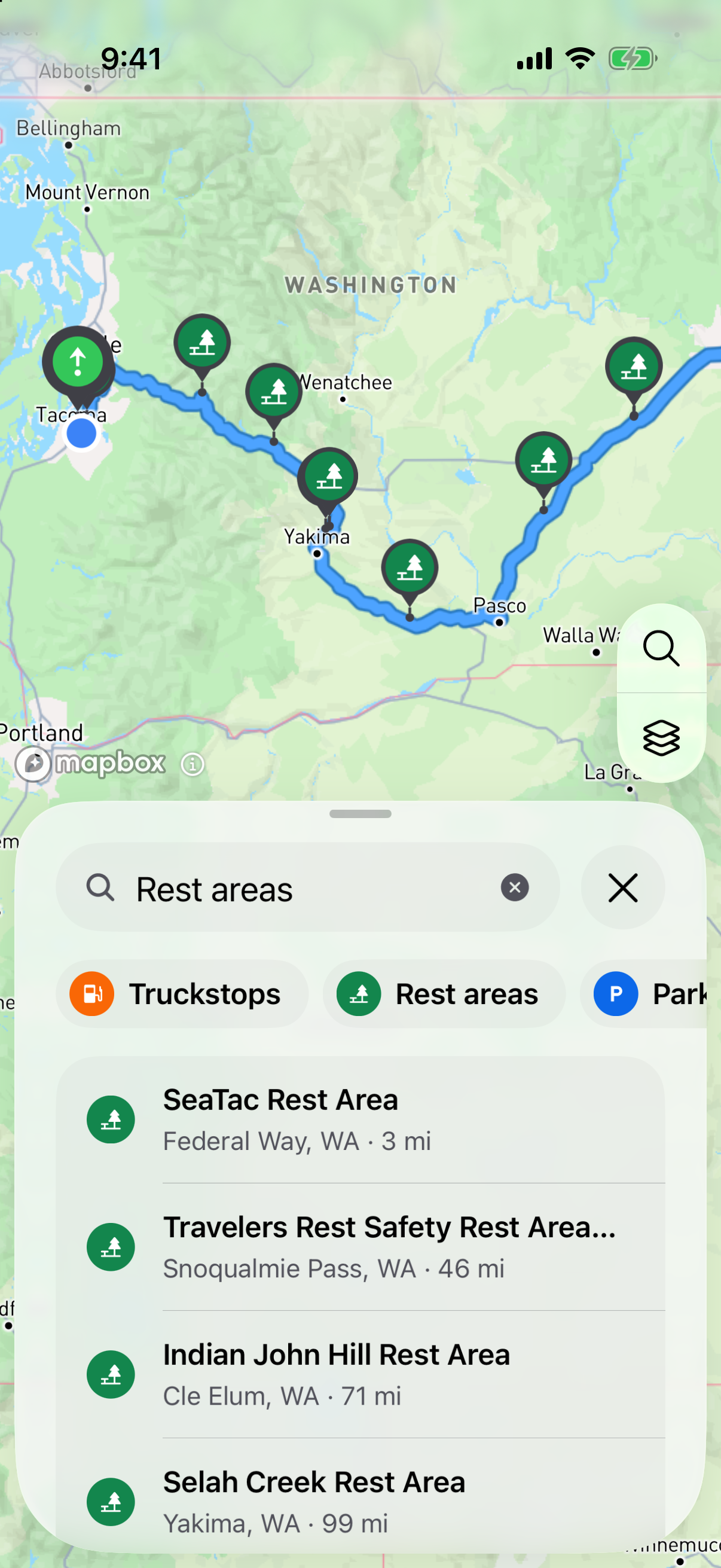
With a permit route open, Honk lists places along it in the order you reach them.
Credit: Courtesy of Honk!
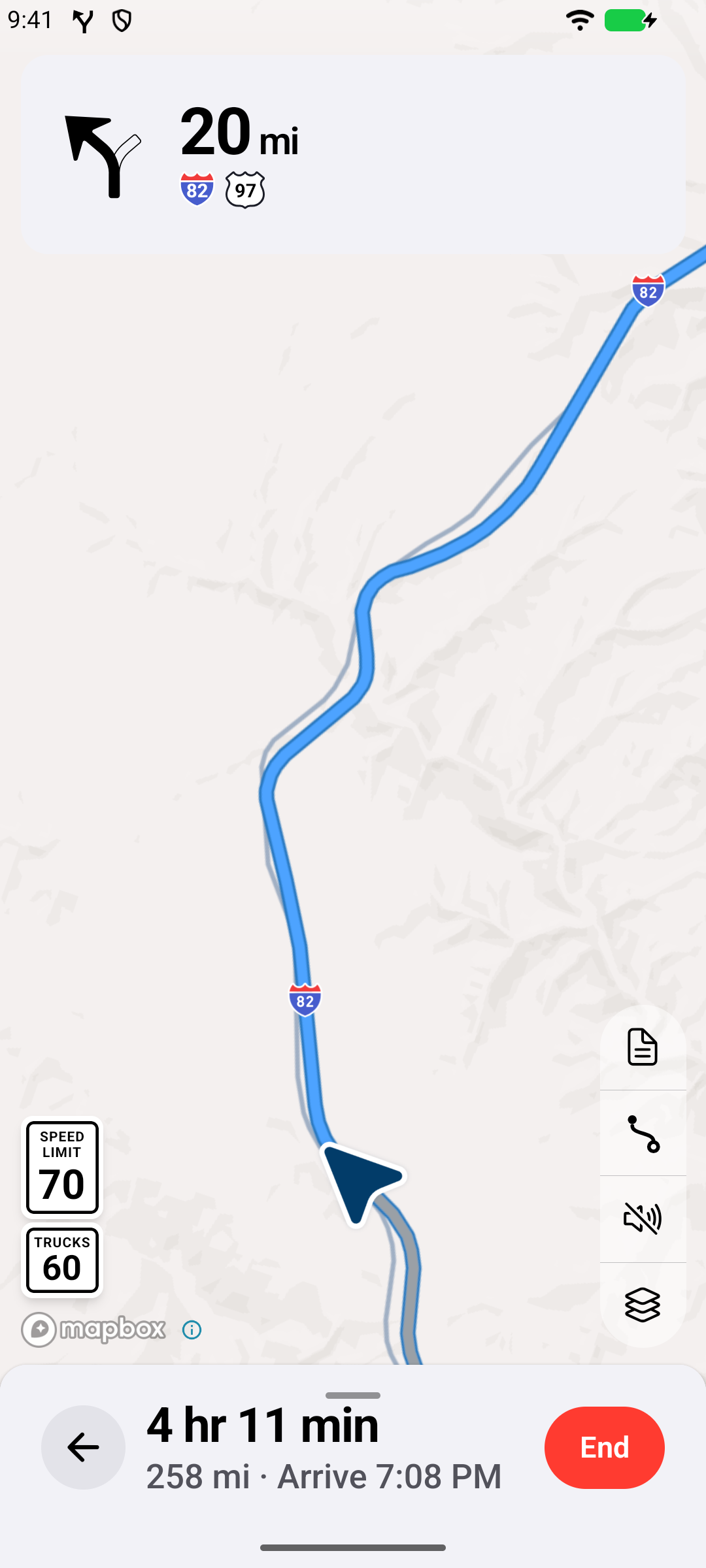
The current Honk navigation UI on Android, following the blue permit route with simulated GPS.
Credit: Courtesy of Honk!
04 / Attribution
Courtesy of Honk!
These logos and screenshots may be used in editorial coverage of Honk. Please credit Honk and link to honkpermits.com where practical.
Resize logos proportionally and keep their original colors and shapes. Screenshots may be cropped if their meaning remains clear. Do not alter the app interface or imply endorsement. Keep visible map and third-party credits intact. Third-party marks and map imagery retain their original rights and attribution.
Download usage guidance ↓05 / Press contact
For interviews, company details, additional images, advertising, or partnerships, email the Honk team at Dispatch Robot.