Start with your permit
Honk reads the roads, ramps, exits and mileposts printed on your permit, along with the start, destination and load details. Those instructions are the starting point for your route.
Follow its roads, in order
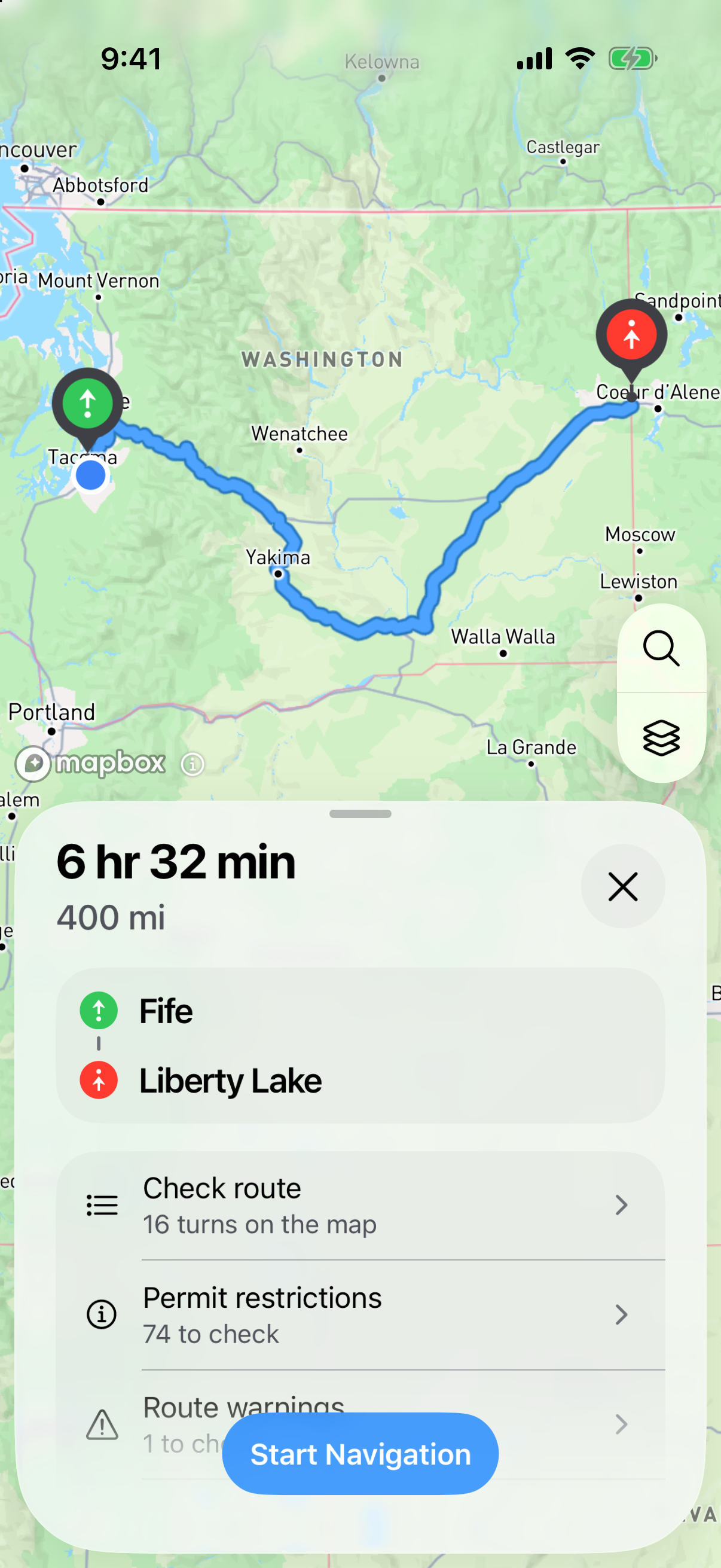
Honk finds each road on the map and connects them in the order your permit lists. The printed direction, exits, mileposts and distances help it place each turn on the right stretch of road.
Double-check the route for your load
Honk compares the road restrictions it has with the height, width, length and weight of your loaded vehicle. Possible conflicts are flagged for you to review against the permit.
Turn the route into guidance
That route becomes turn-by-turn directions you can see and hear while driving. You can also open Check route to see each turn beside the instruction it came from on your permit.
Tested rules build your route
AI helps read the words on your permit. Honk’s own routing algorithm builds the route using fixed, tested rules. AI does not choose the roads you’ll drive.
Get to your route, and back to it
Honk uses your load details to look for a connection to the permit route, including after a missed turn. It favors major roads and checks available road restrictions and bridge and tunnel clearances. Yellow directions connect you to the blue permit route, which stays in place.
See what needs a closer look
If a road or the start or finish is uncertain, Honk flags it for review. Compare the route and load details with your permit before driving. The checks use available data; your permit and posted restrictions still govern the move.