Open your permit
Choose the permit from Your permits. Check the start, destination and load details against your document.
Open Check route
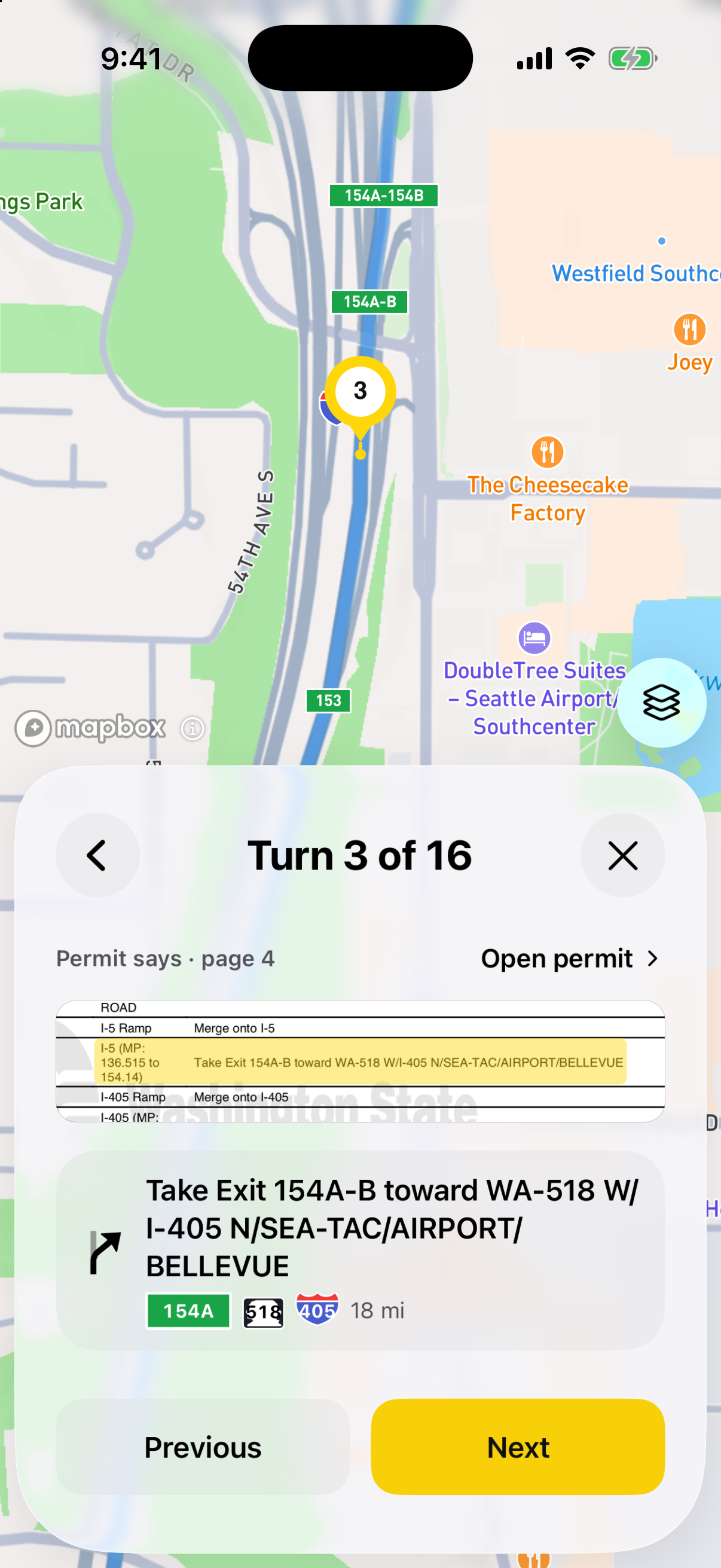
See the directions in order and their numbered positions on the map. Choose a turn, or step through the turns one at a time.
See where each instruction came from
Honk shows the matching instruction from the original permit. Open the permit at that line when you need more context. Resolve anything that doesn’t match before you drive.
Check the load, too
Height, width, length and weight matter to the route checks and to directions for reaching or rejoining the route. Confirm them in the load details before you start.
From printed roads to real turns
Honk’s tested routing algorithm follows the permit’s road sequence and checks available restrictions against the load. AI helps read the document; it does not generate the route.