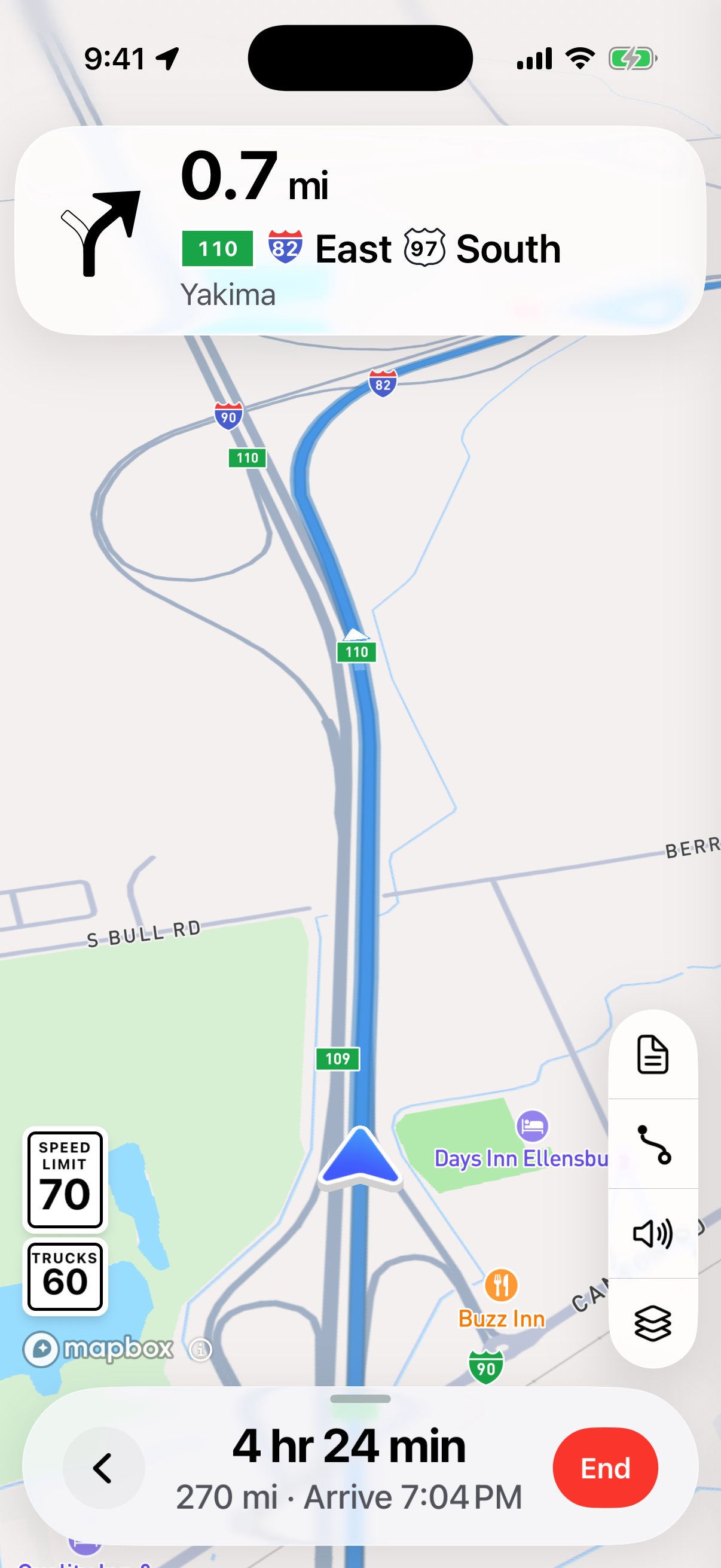
Open the route you’ve checked
Choose your permit and tap Start Navigation. Confirm the load details and follow any location or first-drive prompts.
Follow the next turn
The turn at the top shows where to go and how far away it is. Voice directions announce the maneuver, and lane arrows help you prepare for the turn.
See the trip your way
Tap the turn card for the turns ahead. Use Show entire route to look over the trip, then Follow your truck to return to the driving view. End navigation when you’re done; your permit stays in Your permits.
Blue is your permit route
The blue route stays fixed. Yellow shows the connection from your position to the permit route, either to join it or return to it.
A view that moves with you
Honk follows your truck and adjusts the map as you drive. Turn your device sideways for a wider view. Use Voice on or Voice off to control spoken directions.