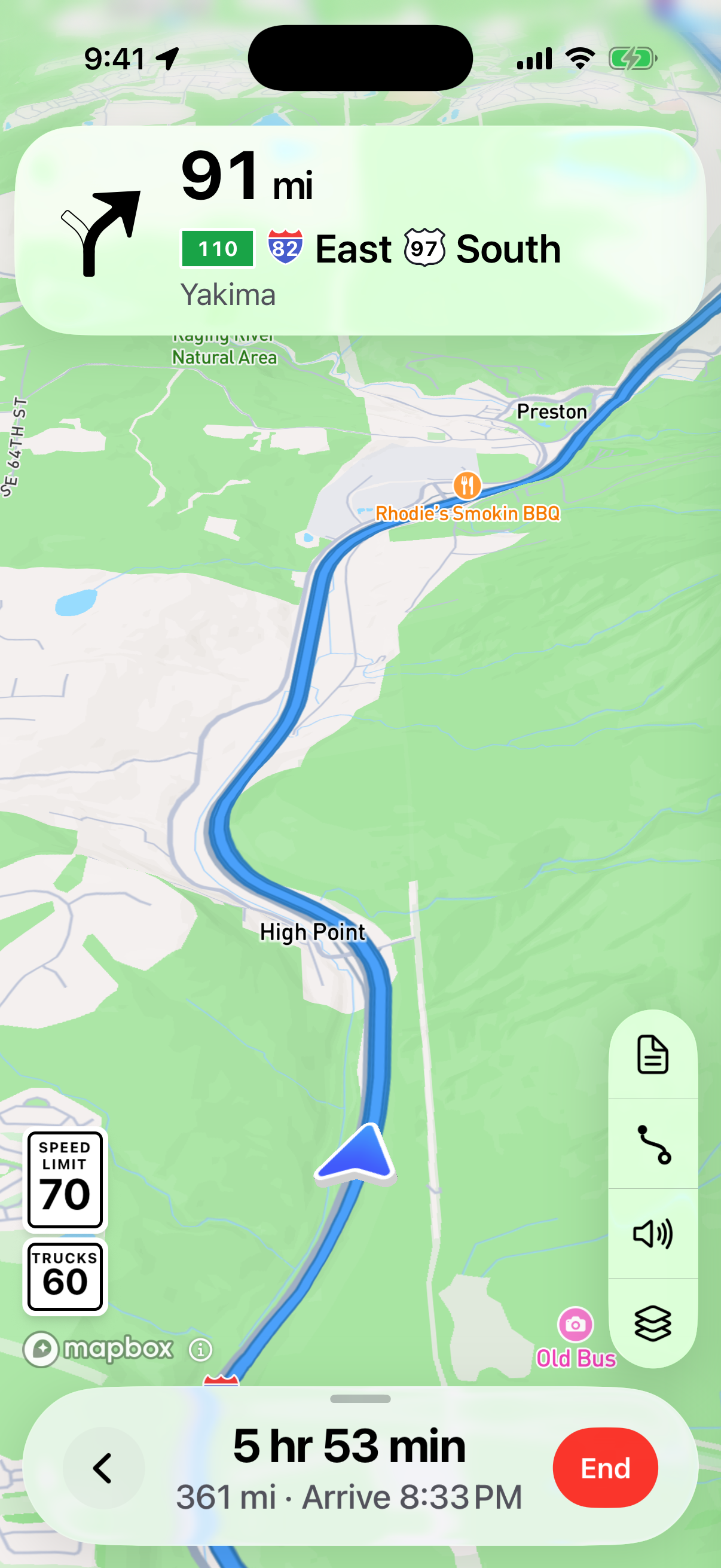
Look for the road’s speed sign
During navigation, Honk shows the available speed limit for the road segment you’re driving.
Check the limit for your load
Where a lower truck, oversize or permit limit is supplied, Honk shows it with the road limit. A maximum speed printed on the permit is carried into the route guidance.
Follow the conditions in front of you
Use the display to help keep the relevant limits in view. Follow posted signs, your permit’s conditions and any temporary restrictions. When a limit is unknown, Honk cannot confirm it.
Your permit travels with you
A lower maximum printed on your permit still matters on a road with a higher posted speed. Honk keeps that load-specific limit with the route.