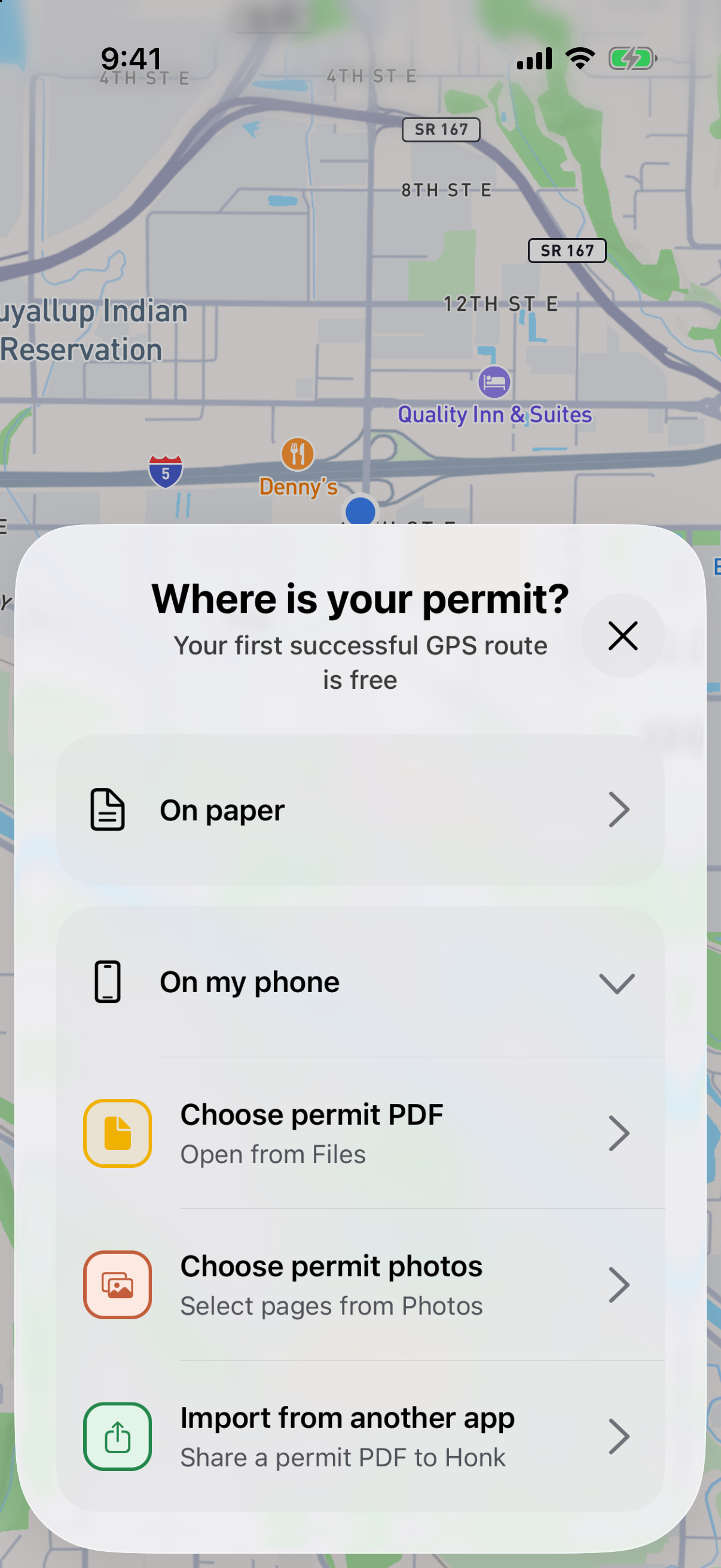
Choose where your permit is
Open Honk. On your first visit, the permit choices open for you. After that, tap Add permit. Choose On paper or On my phone.
Bring in every page
Choose a permit PDF, photograph the paper pages, select existing photos or scan the permit’s QR code. For photos, check that every page is clear and in order before continuing.
Let Honk get your route ready
You’ll see Honk upload the permit, read its directions and build the route. When it’s ready, check the route and load details before starting navigation.
Already looking at the PDF?
In Mail, Gmail, Files or Drive, open the permit and tap Share. Choose Honk. If it isn’t listed, look under More in the share menu.
Keep the whole story
Include the pages with the route, load details and conditions. A cropped photo of a single turn can leave out what Honk needs to build the rest of your trip.